
Sample
Independent guide · not affiliated with Drake or any trend site
Burning Bridges AI Video: The Trend, and the Part One-Click Pages Skip
Burning Bridges AI video is the chandelier-party trend: a photo becomes the lead in a short clip, with a silver cup, a point at the camera and the “where she at?” scan. One-click sites make it from a photo alone. This studio does not. Here is what it needs instead, and when that is still the right tool.
AI Genjutsu is independent. It is not affiliated with, endorsed by, or sponsored by Drake, his label, or any Burning Bridges trend site. Artist and song names are used only to describe the trend.
Last checked 10 November 2026.
Same motion. Your vision.
One performance. One reference image. A new take.
Drop your performance here
MP4 / MOV · 4–30 s · up to 100 MB
Drop one character reference
One JPG / PNG · up to 10 MB
233/2000
Describe one reference person. Results may vary; precise multi-person replacement is not supported.
Model1 credit
Kling 2.6 Motion Control. 720p output; one credit for clips up to 15 seconds.
Kling 2.6 Motion Control · 720p output
This render uses 1 video credit.
By clicking Generate you confirm you own these files or have permission from the people and rights holders involved. Terms of Service · Acceptable Use Policy
Generation is currently unavailable. You can still prepare your files and explore the examples.
Before you generate
- Motion video
- Character reference
- Creative directionReady
Files upload to secure storage only when you start a render. Credits are refunded automatically if a render fails.
A little inspiration
Start with a possibility.
Explore sample looks. Use a prompt as a starting point — your files stay exactly where they are.
Sample
Sample
Illustrative samples — not your result or customer submissions. Presets change only the prompt, never your files.
01 + 01
One clip. One clear reference.
A short performance with one visible person and a sharp, similarly framed reference gives the model a clearer starting point. Samples illustrate ideas, not guaranteed outcomes.
What a Burning Bridges AI video is
The format is a party scene, not a plot. Most versions copy the same beats from a music video and swap who is standing in the middle.
The scene
A warm, chandelier-lit room, a close crowd, a handheld camera. The lead wears something dark, holds a metal cup, points at the lens and raises a toast.
The signature move
The “where she at?” beat: a hand above the eyes, a scan across the room, then a turn back to the camera. Clips run a few seconds to about half a minute.
The swap
Your photo becomes the lead. The room, guests and choreography stay. Creators post the result to TikTok, Reels and X, usually vertically.
Format details were checked on 10 November 2026 against public trend pages from burningbridgesai.com · media.io Motion Control.
Three ways people make the Burning Bridges AI video
They are not equivalent. Pick by what you can supply: a photo alone, a reference clip, or an edit.
One-photo template
Upload a lead photo and the site plays a prepared performance. Some also accept up to five background photos. No reference video or written prompt is needed.
Example checked 10 November 2026: burningbridgesai.com lists about 29 seconds, landscape 16:9, 480p by default, original sound, and 432 credits per 480p video.
CapCut or editing template
Drop the photo into a template, trim it, and add the sound inside the editor. Cheap and familiar, but the result depends on the template and your edit.
Motion control with a reference clip
You supply a short clip whose moves you have the right to use. The model copies the gesture order, camera path and timing onto the character in your photo.
Media.io describes the same requirement: Motion Control needs an image and a video reference, plus a prompt.
What this studio needs that one-click pages don't
This studio is motion control. A still photo is not enough on its own. Two files go in, one clip comes out.
One reference clip
4–30 seconds, one clear performer, steady framing. It supplies the party moves, the camera path and the pacing. Use a clip you own or are licensed to use.
One photo of the new lead
Front-facing or slightly angled, head and shoulders visible, even light. The face and outfit come from this image, not from the clip.
No soundtrack
This studio renders silent 720p video. Add music you have the rights to in your editor. We do not supply the original song or a copy of the music video.
If you only have a photo and no clip, use a one-photo generator. This page will not pretend that upload flow exists here.
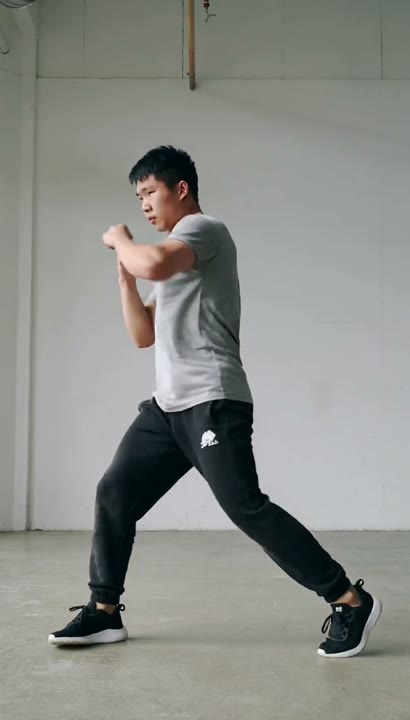
The two motion models in this studio
Both take the same two inputs. The difference is model generation and credit cost.
Standard · 1 credit
Kling 2.6 Motion Control
The default. 720p output, 4–30 second source clips, one credit for a render up to 15 seconds.
Pro · 2 credits
Kling 3.0 Motion Control
Same input contract, newer model. 720p output; two credits for a render up to 15 seconds.
One video credit is $4.90 in the Lite pack; larger packs lower the per-video price. Both models output 720p. Kie model documentation
One-photo generators vs this studio
The honest split: they remove the clip requirement; this studio keeps your motion and has no subscription.
| Job | One-photo generator | AI Genjutsu |
|---|---|---|
| What you upload | A photo only | A photo and a reference clip |
| Where the moves come from | A preloaded performance | From the clip you supply |
| Sound | Often included, or added in the app | Silent render; add licensed music |
| Aspect ratio | Varies; some are 16:9 only | Follows your clip |
| Length | Fixed by the template, e.g. about 29s | 4–30 seconds |
| Resolution | 480p–1080p, site-dependent | 720p |
| Pricing model | Credits or subscription; free tier varies | One-time packs, no subscription |
| Official relationship | Most say they are independent | Independent; not affiliated |
| Main limit | Less control over the exact moves | Needs a clip; no lip sync or face swap |
One-photo entries reflect public pages checked 10 November 2026: burningbridgesai.com, ximagineai.com and media.io. Prices and formats change; verify before paying.
How to make a Burning Bridges AI video with motion control
Bring a party clip
Pick a clip with one lead, visible gestures and a stable camera. Trim it to the section you want; 4–30 seconds is accepted.
Add your photo
Upload the photo that will replace the performer. Match the framing to the clip so the first frame lines up.
Render and download
Choose Standard or Pro, render at 720p, then download. Add licensed music and label the post as AI-generated.
- Use a clip you own or are licensed to use, and people who have agreed to appear.
- Keep one clear performer in frame; a busy crowd makes the transfer less predictable.
- Match the photo's framing and lighting to the first frame of the clip.
- Add music in your editor and label the result as AI-generated when you post.
What this studio does not do: no lip sync, no face swap, no talking photo, no text-to-video or image-to-video. It will not generate the party scene from a still photo alone.
What motion control changes
The left side is the source clip. The right side is the same motion rebuilt from a reference image. The choreography and camera path stay; the performer and room are regenerated.
OriginalGenerated result
Pricing for this studio
Buy a pack of videos and render whenever you like. One video credit is one 720p render of up to 15 seconds.
Each video credit is one 720p render up to 15 seconds; 16–30 second clips use two credits. Failed renders are refunded automatically.
Lite
$4.90
≈ $4.90 per video
One video to try the studio.
- Videos included: 1
- 720p output, up to 15 s per video
- Kling motion transfer
- Credits valid for 365 days
- Failed renders refunded automatically
Recommended
Standard
$9.90
≈ $3.30 per video
Three videos for a first project.
- Videos included: 3
- 720p output, up to 15 s per video
- Kling motion transfer
- Credits valid for 365 days
- Failed renders refunded automatically
Popular
$19.90
≈ $2.84 per video
Seven videos for a week of content.
- Videos included: 7
- 720p output, up to 15 s per video
- Kling motion transfer
- Credits valid for 365 days
- Failed renders refunded automatically
Creator
$49.90
≈ $2.77 per video
Eighteen videos for steady production.
- Videos included: 18
- 720p output, up to 15 s per video
- Kling motion transfer
- Credits valid for 365 days
- Failed renders refunded automatically
One-time purchase — no subscription.
Burning Bridges AI video questions
What is a Burning Bridges AI video?
A short party clip in the style of the Burning Bridges music video: chandelier light, a close crowd, a silver cup, a point at the camera and the “where she at?” scan. The trend replaces the lead performer with a photo.
Is this the official Burning Bridges AI video generator?
No. AI Genjutsu is independent and is not affiliated with Drake, his label, or any trend site. This page explains the format and shows the motion-control route.
Can I make one from a photo alone here?
No. This studio needs a reference clip plus a photo. If you only have a photo, use a one-photo template site; the comparison table above shows the trade-off.
Do you provide the Drake clip or the original song?
No. Bring a clip you own or are licensed to use. The studio strips audio and renders silent 720p video; add music you have the rights to in your editor.
What should the reference clip contain?
One lead performer, clear party gestures, a stable camera and 4–30 seconds of usable motion. A busy crowd with several people moving independently makes the transfer less predictable.
How long and how sharp is the output?
720p, 4–30 seconds, following the source clip. A render up to 15 seconds costs one credit on Standard; longer clips and the Pro model cost more.
How much does a Burning Bridges AI video cost here?
One-time packs start at $4.90 for one video; larger packs lower the per-video price. Standard is 1 credit up to 15 seconds, Pro is 2. There is no subscription and no free trial credit.
Can I use a photo of someone else, or my pet?
Only upload people who have agreed, and only use clips you have permission to use. Motion control is built for a single human performer; pets and non-human characters are not a supported subject.
Sources and dates
Trend format and competitor facts were read on 10 November 2026 from the public pages below. Model limits and credit prices come from this studio's own catalogue. Google Trends US shows the term first appearing in early October 2026; this page is kept current as a guide.